
As new cyber threats, such as malware and viruses, develop every day – getting an antivirus protection for your device is crucial. Even something as simple as downloading an application or the file that your acquaintances sent via email can end up with your device getting infected.
Even though the latest operating systems, such as Windows 11 and 10, have in-built security solutions, they’re not comprehensive enough to provide all-around virus protection.
Aside from safeguarding your devices from threats, a high-quality antivirus can do much more. Whether it’s keeping your data anonymous with a VPN service, protecting your login credentials with a password manager, or limiting some websites with parental controls, you can get all that with a single security suite.
In this article, we’re going to help you choose the best antivirus software of 2023. These picks are a combination of recommendations by independent laboratories, including Virus Bulletin, AV-TEST, and AV-Comparatives. Antivirus programs were also tested by our own researchers to provide you with first-hand experience.
Note: We regularly test and research antivirus software to update this list with products that are of the highest quality.
Best antivirus protection in 2023
- Bitdefender Antivirus Plus – the best virus protection in 2023
- Norton 360 Antivirus – feature-loaded antivirus suite
- TotalAV Pro Antivirus – optimal antivirus with a VPN and password manager included
- Surfshark Antivirus – excellent antivirus for completely private browsing
- NordVPN Threat Protection – great antivirus for automatic background malware protection
- ESET NOD32 – great lightweight antivirus protection
- McAfee Total Protection – virus removal tool for all your devices
How do I choose the best antivirus?
Choosing the best antivirus might seem challenging at first. There are so many options offering a variety of features. So, how to decide which one suits your needs?
Here are a few simple factors that you should consider before choosing an antivirus:
- Look for a constantly updating malware database. New cyber threats are being constantly developed to ensure antivirus programs can’t detect them. For such a reason, we only included providers that are known for regular malware database updates.
- Check security features. The best antivirus solutions should include more than just malware protection. It should provide you with other features you may need, for example, a VPN, a password manager, or any other protection measures. Unless you already have such tools, you can opt for more feature-rich services.
- Seek for all-around antivirus protection. If you’re not the only one using a computer or a mobile device, you should consider getting an antivirus that would provide extra protection. Some providers have solid parental control features while others protect your whole home network and alert about possible dangers.
- Consider your budget. Not all antivirus programs offer the same bang-for-the-buck ratio. That’s why spending less (or more) can sometimes get you many more features.
- Try the software first. You can always make use of the money-back guarantee that antivirus services offer to try the product out. This way, you’ll test it out yourself and see whether or not it’s worth the money you’re paying.
Top 10 best antivirus software – detailed list:
All of our listed providers have the necessary tools to provide maximum malware protection and bonus features that you may find useful. Without further ado, let’s dive into the detailed descriptions of all 10 best antivirus programs.
1. Bitdefender Antivirus Plus – best overall antivirus protection in 2023
| Max simultaneous connections: | 5 devices |
| Free version: | Yes |
| Platforms: | Windows, macOS, Android, iOS |
Bitdefender is the best antivirus of 2023 because it offers exceptional malware protection rates and security from all types of malware. Depending on the plan you pick, Bitdefender can become your all-in-one cybersecurity suite with a VPN and a password manager.
During independent lab tests, Bitdefender blocked 100% of both 0-day and 4-week old malware. We tried testing it ourselves, and it blocked all 10 of the zero-day threats we challenged it with. The quick scan took 2 minutes, while the full one – 14 minutes.
You can get Bitdefender on various OS, including Windows and macOS computers, or iOS and Android. Each app is neatly organized and beginner-friendly, ensuring you easily adapt to it fast.
Bitdefender’s full cybersecurity suite includes advanced malware, ransomware, webcam, and microphone protection. You’ll also get a password manager and even a Virtual Private Network (VPN) with a daily data limit of 200 MB for keeping you anonymous online.
- Best malware protection
- Excellent core
- Feature-rich
- Great free version
- Excellent value for money
- Frequent updates
- Exceptional scores in independent tests
- Full VPN access requires paying extra
2. Norton 360 Antivirus – premium antivirus with top security features
| Max simultaneous connections: | 10 devices |
| Free version: | No |
| Platforms: | Windows, macOS, iOS, Android |
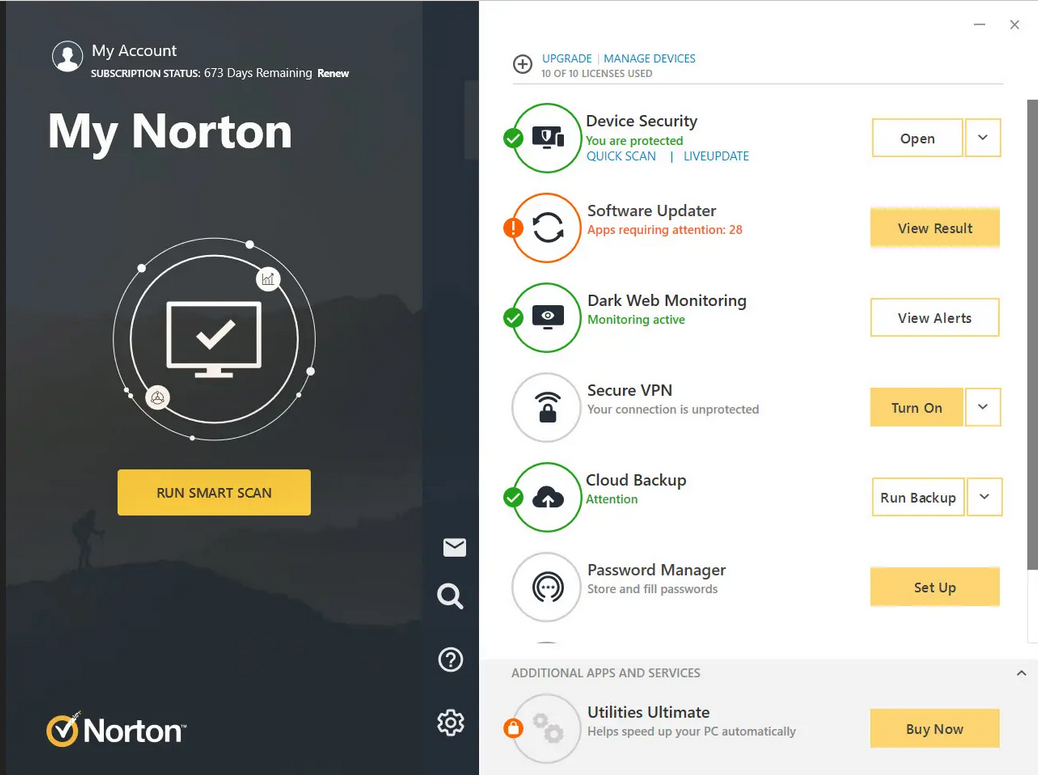
Another optimal antivirus pick is Norton 360 antivirus. Its malware detection rates are just as great as Bitdefender’s, while the apps are very simple to get a hang of. Norton 360 is convenient for those who wish for a seamless antivirus experience.
Independent lab test results showed that the antivirus catches 100% of zero-day malware, has minimal impact on the speeds, and detects no false positives. Our own tests showed similar results. The real-time protection feature instantly blocked all threats as soon as we released them. However, the full scan was quite heavy on system resources.
As for features, you get such extra security measures as a smart firewall, secure cloud backup, a VPN, and a password manager. A strong contender to Bitdefender indeed.
We tried all available apps (Windows, macOS, Android, and iOS) – the interface is organized and easy to navigate on all of them. However, some of the extra features open up in different tabs. Inconvenience for some, nothing of importance to others – it’s your call.
- Excellent protection
- Plenty of extras
- Powerful identity-theft suite
- Basic free version
- Easy-to-use
- Optimization tools
- On the pricier side
3. TotalAV – the essential free antivirus package
| Max simultaneous connections: | 6 devices |
| Free version: | Yes |
| Platforms: | Windows, Mac, iOS, Android, Linux |
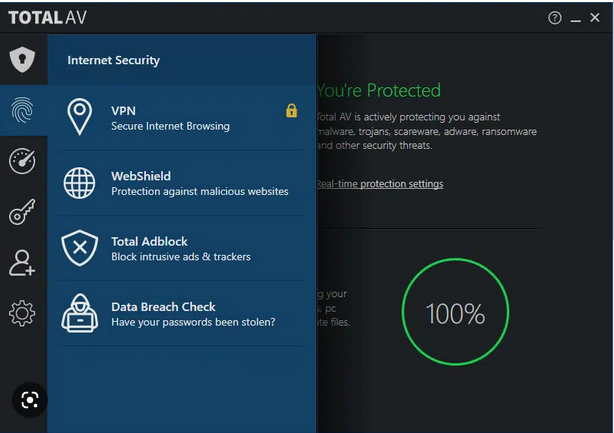
With excellent malware detection rates, TotalAV earns one of the top spots on our best antivirus list. It successfully blocks 97% of zero-day and 100% of 4-week old malware attacks, guaranteeing exceptional protection against various cyber threats.
When testing in-house, TotalAV found 7 out of 10 malicious files during the full scan. It was quite heavy on resources, but scanned only for around 7 minutes. The quick scan was, well… quick. It took 14 seconds and had virtually no visible effects on resources: that was really impressive to see.
In terms of the apps, the interface of both dedicated mobile (Android and iOS) and desktop (Windows and macOS) apps is well-organized and simple, just like the installation process itself.
The antivirus also has useful security features that come free of charge. Without spending a single dollar, you get a malware scanner and anti-phishing protection.
If you do get a paid subscription, your security coverage expands a great deal with real-time protection and ransomware shields. On top of that, it also includes a Cloud Scanner, a Disk Cleaner, and optimization tools. These will help you free up some space in your hard drive and make your startup more efficient.
TotalAV also offers a VPN with unlimited data, a password manager, and an Ad Blocker to ensure safe online browsing.
- Robust internet security package
- Intuitive apps
- Fast customer support response times
- Real-time and cloud protection
- Includes optimisation tools
- Only covers six devices
- The browser extension isn’t particularly user friendly
- Safe Search doesn’t always work
4. Surfshark Antivirus – great all-around protection with a top VPN
| Max simultaneous connections: | 5 |
| Free version: | No |
| Platforms: | Windows, macOS, Android |
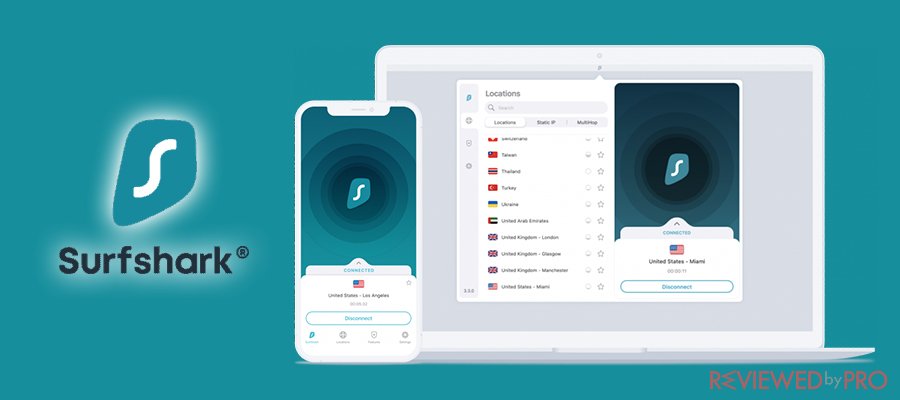
Surfshark is primarily known as a VPN provider – but its excellent antivirus suite makes it so much more. It’s a great internet security suite of features for all your online safety needs.
Fully certified by independent antivirus testing labs, Surfshark Antivirus can block 100% of threats. In our tests, the full scan was exceptionally fast, covering over 100,000 files in just 90 seconds and finding 7 out of 10 potentially malicious files.
In terms of features, there’s real-time protection that protects your system at all times. There’s also Data Breach Protection which checks for your personal data leaked on various internet databases. There’s even a secure search engine, where everything stays strictly private, and neither search history nor activity logs are collected.
And of course, there’s also a wildcard: Surfshark has one of the best VPNs in the business, keeping your privacy intact when surfing online while offering some of the best speeds in the industry.
The antivirus is available on Windows PC, macOS, and Android devices. All of the apps are very neatly organized and simple to use.
- User-friendly
- Top-notch VPN included
- Private search engine
- Real-time protection
- Customizable scans
- No firewall
- Scans take longer than usual
- ID check isn’t available in all countries
5. NordVPN Threat Protection – top real-time threat protection and an excellent VPN
| Max simultaneous connections: | 6 devices |
| Free version: | No |
| Platforms: | Windows, Mac, Linux, Android, iOS, Chrome, Firefox |
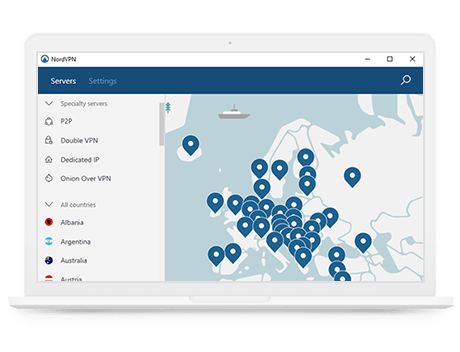
NordVPN is one of the world’s most popular VPN providers. But in recent years, the company has been steadily moving towards becoming an all-in-one data privacy solution. Now, NordVPN is an excellent security package. It not only hides your IP address but also offers real-time protection against various online threats.
The new NordVPN Threat Protection is an extra layer of defense. This feature ensures your browsing experience isn’t affected by various threats found across the web. This means protecting your devices from malware, tracking, malicious ads, and overall hackers.
The Threat Protection feature identifies malware-affected files you’re downloading, and proactively stops you from landing on infected websites. It also blocks annoying ads and trackers found on many websites.
All of these features don’t require an active VPN connection to work: as long as the NordVPN app is on and Threat Protection is enabled, it will keep working in the background, providing additional protection as you browse.
And of course, we can’t ignore that NordVPN is a VPN: and the best one in its class, letting you access worldwide streaming content and stay protected when connected to unsecured wi-fi networks. With the new protection features, it’s an excellent all-around solution if you’re simply looking to stay safer every time you browse.
- Powerful ad blocker
- Real-time download scanner
- Top class VPN included
- Solid protection from trackers
- Simple to use all-in-one package
- No real-time system scans
- No advanced scanning features
6. ESET NOD32 – the best lightweight antivirus software
| Max simultaneous connections: | 10 devices |
| Free version: | No |
| Platforms: | Windows, Linux, Mac, Android |
ESET NOD32 is the leading Slovak cybersecurity product, and offers a very solid and reliable antivirus suite – well worth a place on our best antivirus software list. The independent testing lab scores don’t disappoint – the antivirus is categorized as a Top Product that blocks 100% of attempted attacks.
To make sure of that, we did some testing ourselves. While the scanning options were confusing at first, the custom scan (which appears to be a mixture of quick and full ones) found all threats that we challenged it with. System resources were allocated well, too: other apps that were on, experienced no major performance issues during the scans.
You can get ESET on Windows, Linux, macOS, and Android. Unfortunately, it’s not available on iOS, but other apps are clean and user-friendly. Considering the Apple ecosystem’s security, this might not be a big problem.
With its core package, you get real-time protection against malware and ransomware. But, if you’re worrying that the NOD32 Essential Protection might not be enough, you can opt for ESET Advanced Protection which includes the Safe Browsing feature to prevent harmful JavaScript injections and a network monitoring tool.
For those who want to go all-in, there’s an option to pick the ESET Ultimate Protection package. It will add a password manager and encryption for personal files.
What’s really exceptional about ESET NOD32 is that it’s cloud-based and offloads most of the heavy processing to their servers. This means much less work for your device and better performance.
- Cloud-based
- Doesn’t require a lot of system resources
- Great malware labs test scores
- Remote device control option
- File encryption against ransomware
- Rather expensive
- Only manual updates
- Lacks additional features
7. McAfee Total Protection – great cross-platform support with basic plan
| Max simultaneous connections: | 10 devices |
| Free version: | Yes |
| Platforms: | Windows, Mac, Android, iOS |
McAfee falls into the category of our top antivirus software suites since it offers not only protection against the latest cyber threats but also provides additional security features, doing more than just basic malware protection.
Independent testing labs have examined the security capabilities of this antivirus and show that it catches 100% of both 0-day and 4-week old cyber threats. They rated its performance, protection, and usability with 6 out of 6 points.
We tested McAfee ourselves and threw 10 malicious files for it to detect. While the quick scan found none of them, the full scan blocked all threats not even halfway through the scan. This is a rare sight to see even with the best antiviruses. So, although the system resources can take a toll on your device performance, the final results are worth the wait.
What’s also worth mentioning is that McAfee supports Windows, macOS, iOS, and Android operating systems and offers pretty easy-to-use apps.
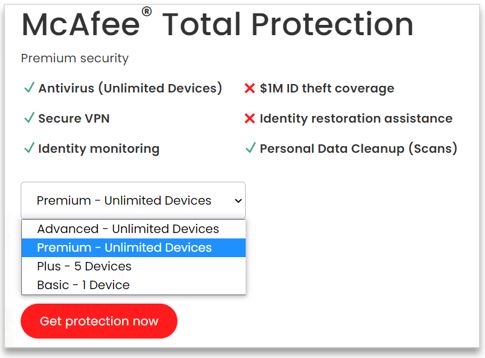
McAfee’s core package includes a VPN, a password manager, file encryption, and a file shredder, among other features.
Additionally, the antivirus provides identity theft protection and security for your network as well. The Home Network Security allows managing all devices connected to the wifi and alerts you of any intrusion attempts.
- All plans support major platforms
- Generous device limits
- Basic package is feature-rich
- Solid firewall
- Home Network Security feature is a godsend
- Some independent test results are poor
- Performance could be better
- Apple products have fewer features
8. Avira Antivirus – best free plan on the market
| Max simultaneous connections: | 25 devices |
| Free version: | Yes |
| Platforms: | Windows, Mac, Android, iOS |
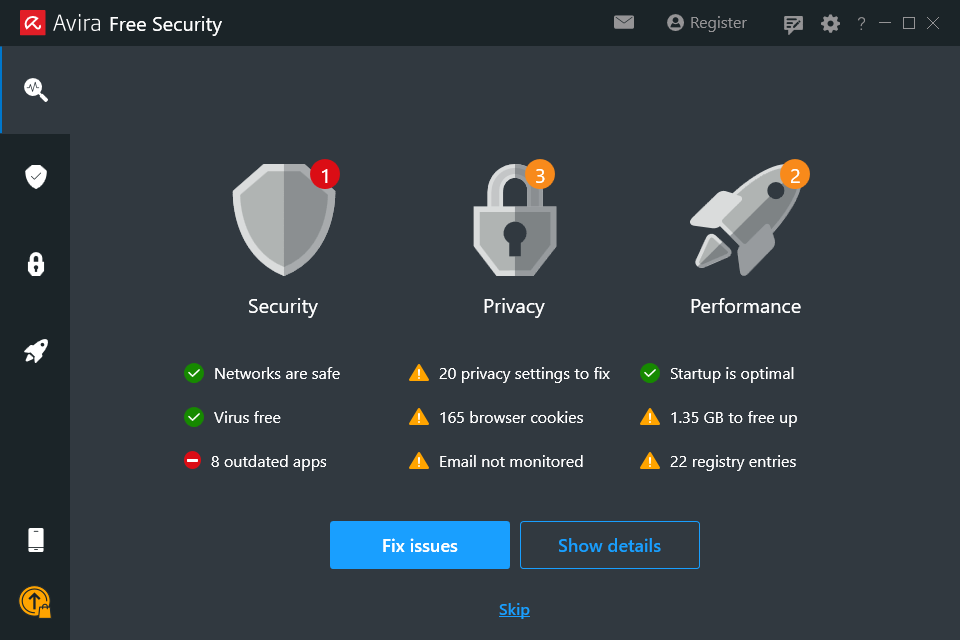
Avira Antivirus is one of the best antivirus software packages available in both free and premium segments that also offers outstanding protection. It showed impressive scores from independent test labs, successfully blocking 99.2% of cyber threats.
As for our initiated tests, Avira distinguished itself with a super fast full scan – it took only 3 minutes and 30 seconds. But get this – it also managed to block all 10 malicious files. Although the CPU was high the whole time, it shouldn’t be considered a drawback since it only takes a few minutes.
Avira antivirus is compatible with the most popular operating systems (Windows, macOS, Android, and iOS). However, not all features are available for macOS – email protection and download scans are for Windows users only.
As for features, without opening up your wallet, you can get a VPN, a firewall, and a password generator when most of the time you’ll be paying extra to get some or all of them.
Apart from that, this antivirus has advanced ransomware protection, web protection for safe online shopping, email protection, and a file shredder. There’s also automatic software updating feature, a tool for browser safety, and a password manager along with regular malware protection solutions.
Furthermore, what distinguishes Avira from other antiviruses is its PC optimization tools. For example, you can speed up the booting of your device.
- Feature-rich free version
- Compatible with all major platforms
- Real-time protection
- Features to protect online browsing
- Includes VPN services
- Some features are only available on Windows
- Browser extension is needed to use all of its features
- Delayed response from the customer support
9. Trend Micro – simple and secure antivirus for online threat protection
| Max simultaneous connections: | 10 devices |
| Free version: | Yes (Android and iOS) |
| Platforms: | Windows, Linux, Mac, Android, iOS |
Trend Micro is another solid antivirus software that can help you protect your devices from cyber threats. During independent lab tests, this antivirus showed the ability to catch 100% of the latest malware during the examination.
Our tests demonstrated that while there were a few spikes, the antivirus wasn’t heavy on system resources in general. The virus scanner managed to delete 8 threats out of 10 in under 9 minutes.
Trend Micro is compatible with all major operating systems (including Windows, macOS, Android, and iOS) so that you could use it on both desktop and mobile devices, and it’s ideal for beginners. However, it does take ages to uninstall the app.
In terms of features, this antivirus uses AI technologies to scan for malware. Aside from that, Trend Micro offers PayGuard and Folder Shield for safe shopping and document protection from ransomware. You can also enjoy using Social Media Privacy Protection, Fraud Buster, Dark Web Monitoring features, and a VPN to add an extra layer of security when browsing online.
But these features are not all. Trend Micro also gives the possibility to use system optimization tools and a password manager to boost your device’s performance and keep all of your credentials safe.
- Strong protection against online threats
- Real-time protection
- 30-day free trial
- Great desktop app
- Up to 10 devices with Premium plans
- No webcam protection for Windows computer
- Limited licensing options
- No built-in firewall
10. Malwarebytes – simple and intuitive antivirus platform
| Max simultaneous connections: | 5 devices |
| Free version: | Yes |
| Platforms: | Windows, Android, macOS, ChromeOS, iOS |
Malwarebytes is another solid anti-malware program that does the job really well. It performs admirably in independent lab testing, especially when it comes to detecting malware. Let it be a zero-day old recent threat or one that’s been around for more than 4 weeks, it stops 100% of them.
Malwarebytes had quite an impact on system resources during our in-house test. So we wouldn’t recommend launching any apps during full scans. Additionally, it found 7 out of 10 threats during the 6 minute scan.
You can install Malwarebytes on Windows, macOS, iOS, and Android platforms. They’re very simple and allow you to set different scans, including daily threat scans.
Malwarebytes uses real-time malware protection to monitor your device activity and stop any potential cyber threats before they enter the system. Additionally, there’s a ransomware prevention feature to help you avoid file-encrypting viruses from attacking your device.
What’s also worth mentioning is that Malwarebytes includes exploit protection which is useful when stopping malware from both infecting the device and spreading further.
When it comes to extra features, Malwarebytes offers a VPN to help you encrypt your Internet traffic and protect private information when browsing online. Not only will your devices be protected from viruses, but also incoming and outgoing internet traffic and other data.
- Good virus protection rates
- Great user interface
- Minimal CPU usage
- Browser security extension
- Plan with a VPN available
- No live chat support
- Adding extra devices costs more
- Lacks certain premium features
How we tested the best antivirus software
esting the best antivirus solutions isn’t as difficult as ranking them afterwards. Our first step was to weed out all of the software that doesn’t meet our security standards. This includes programs with low malware detection rates (which is their primary job) and apps that are simply too buggy. Here’s how our testing process looked like:
| Providers tested: | 25 |
| Operating systems used: | Windows, macOS, Android |
| Minimum virus detection rate: | >97% |
| Features tested: | Real-time protection, spam filters, firewall, parental controls, bonus features |
Then, we ranked the providers with careful consideration of various factors. The most important aspects to consider were malware protection rates and extra features. However, that’s not all there is to it. Here are the main criteria we used to determine the best antivirus programs in 2023:
- Independent antivirus testing. Such labs as AV-Test Institute, SE Labs, AV-Comparatives continuously put different antiviruses to a test. This way, we evaluate how well they detect malware and other threats.
- In-house antivirus testing. Since independent lab tests aren’t performed every week or even month, we also put them to our own tests. We checked how well each antivirus can detect and block 10 zero-day malware files.
- False positive record. Malware and other cyber threats are being constantly updated to ensure successful attacks. While even the best antivirus can’t catch it all 100% of the time, it’s important that the program doesn’t overreact too often.
- Bonus features. We checked which antiviruses offer some extra benefits, such as firewalls, spam filters, secure browsers, or others, without overpricing it to boost your internet security overall.
- Supported devices. Since many top antivirus products allow connecting multiple devices simultaneously, we looked for solutions that support various devices.
- Performance. If you don’t have the latest hardware, an antivirus scan can hamper your device’s performance. We looked at providers that have as minimal effect on your resources as possible.
- Ease of use. No matter how sophisticated the best antivirus software is, any user regardless of experience should be able to scan their device effortlessly.
- Price. Having tested dozens of providers, we made sure the ones we suggest provide you with budget-friendly options and give you your money’s worth.
How does antivirus software work?
The way antivirus programs work is they scan your device, detect known malicious threats, and remove or quarantine them. They also regularly update themselves so they could also detect newly emerged threats. The so-called heuristic scan tries to detect unknown malware software by looking at the way your programs behave.
There are two types of scans that are usually available. The background scan provides real-time protection by actively checking the programs that are currently opened.
In contrast, a full system scan checks every file on your hard drive. It’s recommended to run one after installing the antivirus and after the real-time scan finds an infection.
Video review: Best antivirus of 2023
Best antivirus based on your OS
Different antivirus programs support different operating systems (OS). Yet, each OS works best with specifically customized antivirus software. So, after various tests, we picked Bitdefender as the best option for the most popular OS. It’s rich in features and offers excellent malware detection rates on top of a free version.
You can find our full lists of the best antivirus services for different OS down below:
- Antivirus for Windows. Many providers focus on Windows app development the most, loading them with features. We’ve tested various providers to help you find the top antivirus programs for Windows 10 or Windows 11 for you.
- Antivirus for Mac. Many antivirus programs for Mac laptops were ported from Windows PC antivirus protection programs. Naturally, many lack personalized features. So, we’ve tested and picked the best antivirus fully customized for Mac.
- Antivirus for Chrome. It is said that Chromebooks are incredibly safe but not completely immune to malware. That’s why we researched the most suitable antivirus programs for Chrome OS.
- Antivirus for Android. Even though Android devices have Google’s built-in security software, they’re not as protected as they should be. To secure your mobile even more, you can choose the best antivirus software that works for Android from our list.
- Antivirus for iOS. It’s a pity how many antivirus providers skip developing applications for iOS. To help you make a suitable choice, we’ve made a list of the best antivirus options specifically for iOS devices.
Do you really need antivirus software?
No matter what level of IT skills and online browsing habits you have, an antivirus is a necessary addition to your cybersecurity posture.
Here are some of the reasons why you’d benefit from investing in an antivirus:
- You often end up on suspicious websites. Unreliable websites are the primary source of various cyber threats that can infect your devices. Premium antivirus tools can block malicious sites and intrusive ads to help you avoid malware.
- You shop online regularly. If you’re entering your credit card details nearly every day, it would be wise to use an antivirus that puts your transactions in an encrypted secure browser screen.
- Your kids use your device. If you have children, making sure they stay safe is even more important. With the parental control features, such as webcam blocking, you can protect your children even while not at home. Chances are there are more than a few devices connected to your home wifi. A home antivirus can protect all of them at once, saving the hassle of catering to each separately.
- You don’t have all-round protection. Whether you’re using a password manager, a VPN service, or a secure email as separate products or not, you can benefit from a quality antivirus suite. Nowadays, they incorporate most of these cybersecurity tools, so it’s significantly easier to use them and ensure all-round security of your device.
As the years go by, it’s less about viruses and malware but about cybersecurity in general. Keep in mind that great antivirus solutions are feature-rich and come cheaper than getting a file encryptor or a VPN separately.
Free vs. paid antivirus: should you pay?
Although free antivirus solutions can offer basic protection against malware and fulfill simple needs, you should pay if you want reliable and all-rounded security.
There’s one thing to remember – antivirus companies need to make money: either from premium plans or from your personal data. This means that an unreliable antivirus company can sell your information to hackers or other third parties.
Not to mention that some free antivirus software can include pop-up ads or even malicious programs that can infiltrate you with malware (the last thing you want from an antivirus).
So, if you still want to get a free service, look at serious and legitimate companies that offer the best and tested free antivirus services, for example, TotalAV. They’re still interested in you eventually paying for premium plans, but at least they won’t do you harm.
However, expect fewer features and serious limitations as you go. Often, free plans will let you run simple system scans. But features like custom scanning, ransomware protection, and advanced firewalls are usually only available when purchasing a premium plan.
Conclusion
Threat actors are lurking in various corners of cyberspace. One wrong move, be it clicking the wrong link or visiting a suspicious site, and you may infect your computer or another device with malware. For such a reason, using an antivirus, especially if it has a real-time protection feature, is crucial.
Only by regular scanning of your device can you protect yourself from personal data theft, including banking details. Our best recommendation is Bitdefender. It guarantees 100% malware protection rates as well as a wide feature array, including real-time protection and a VPN.