
Phishing in the UAE: Why Most Breaches Start With an Email — and How to Stop Them
The majority of UAE business breaches start with a phishing email — including Microsoft 365 account takeovers. Here’s how Dubai companies can defend against them.

The majority of UAE business breaches start with a phishing email — including Microsoft 365 account takeovers. Here’s how Dubai companies can defend against them.
Ransomware against UAE businesses is rising, with double-extortion tactics. A practical 2026 guide to prevention, response and fast recovery for Dubai companies.
Microsoft 365 protects its platform, not your data. Here’s why UAE businesses need a dedicated M365 backup against ransomware, accidental deletion and compliance gaps.

In today’s digital age, email remains one of the primary communication channels for businesses worldwide. However, with the convenience of email comes significant security risks, especially from threats like phishing, spoofing, and email fraud. Domain-based Message Authentication, Reporting, and Conformance (DMARC) is a crucial security protocol designed to protect email domains from these threats. Yet, many organizations still operate without a DMARC email security policy in place, exposing themselves to substantial risks. This article explores the potential dangers of not implementing a DMARC policy for your organization’s email domain. 1. Increased Risk of Email Spoofing Email spoofing involves the forgery of an email header so that the message appears to come from a legitimate source, often within the same organization. Without a DMARC policy, cybercriminals can easily spoof your domain to send fraudulent emails. These emails can deceive recipients into believing they are from a trusted source, leading to phishing attacks or data breaches. Spoofed emails can damage your organization’s reputation and erode trust with customers, partners, and stakeholders. 2. Higher Susceptibility to Phishing Attacks Phishing attacks are a common method used by attackers to steal sensitive information such as usernames, passwords, and financial details. Without DMARC, it becomes easier for attackers to impersonate your domain and send convincing phishing emails to your employees or customers. These attacks can result in significant financial loss, data breaches, and legal liabilities for your organization. 3. Damage to Brand Reputation Your organization’s email domain is a critical component of your brand identity. When attackers use your domain to send malicious emails, it not only leads to potential security breaches but also damages your brand’s reputation. Customers and partners who receive phishing emails from what appears to be your domain may lose trust in your organization. Rebuilding a damaged reputation can be a costly and time-consuming process. 4. Reduced Email Deliverability Email service providers (ESPs) and spam filters increasingly rely on DMARC policies to authenticate incoming emails. Without a DMARC policy, your legitimate emails may be marked as spam or rejected altogether. This reduction in email deliverability can impact your organization’s communication efforts, marketing campaigns, and overall operational efficiency. 5. Lack of Visibility into Email Threats One of the key benefits of implementing a DMARC email security policy is the reporting feature, which provides insights into how your email domain is being used and whether it is being abused. Without DMARC, you lack visibility into these potential threats and cannot take proactive measures to mitigate them. This absence of insight leaves your organization vulnerable to ongoing and undetected attacks. Conslusion: The implementation of a DMARC email security policy is not just a technical enhancement; it is a strategic necessity for protecting your organization’s email domain from malicious activities. The risks of not having a DMARC policy in place are significant and multifaceted, ranging from increased vulnerability to phishing and spoofing attacks to damage to your brand’s reputation and operational inefficiencies. By adopting DMARC, you can enhance your email security posture, protect your stakeholders, and maintain the integrity and trustworthiness of your communications.
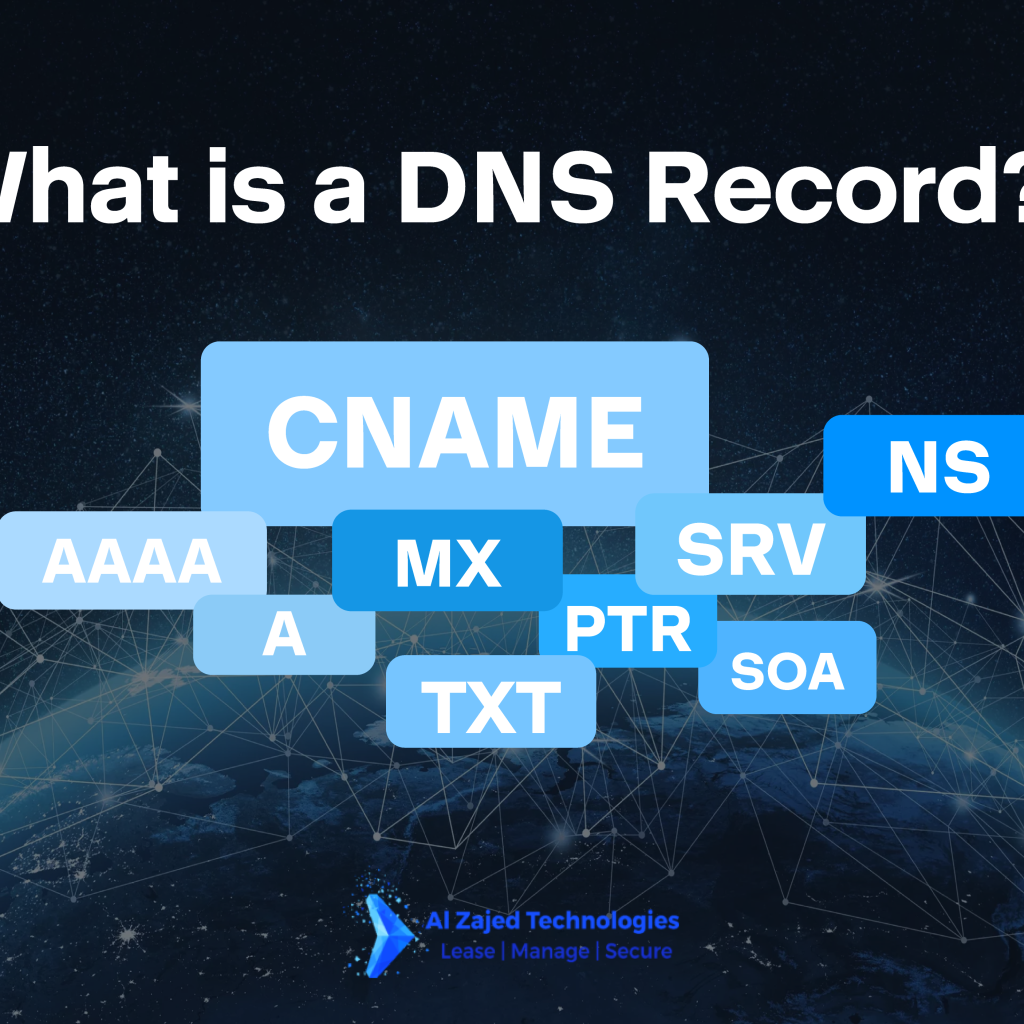
Just as each person has a unique name, every website on the internet is identified by a domain name, like aztuae.ae or printmps.com. These domain names are our gateway to accessing information on the World Wide Web. Behind the scenes, each domain name is tied to an IP address, which facilitates communication between networks and devices online. The question arises: How does the internet translate a domain name, such as google.com, into its corresponding IP address? This translation is made possible by the Domain Name System (DNS) and its DNS records. But what exactly is a DNS record? In this article, we will delve into the concept of DNS records, but let’s first get a better understanding of the DNS itself. What is the Domain Name System (DNS)? DNS stands for Domain Name System. The hierarchical naming database identifies devices on the internet via their IP addresses. When you access a website online, you use a domain name (like google.com). However, web browsers operate using IP addresses. Much like a directory or phonebook, the DNS bridges the gap between a domain name and its corresponding IP address. Essentially, it contains and distributes domain name and IP address information, translating the former into the latter so web browsers can load requested web pages. For example, when you type the URL Facebook.com into your web browser, the DNS service translates this into an IP address, such as 179.60.192.36, allowing the initiating client to load the requested webpage. The Domain Name System works similarly to a phonebook that maps a phone number to a contact’s name. When you find and call a specific contact, their phone number displays alongside the corresponding name. People created domain names because numerical identifiers (IP addresses) are difficult to remember. The DNS is divided into domains of various levels, controlled via decentralized DNS zones. To illustrate this, let’s take www.aztuae.com as an example: ‘www’ is a third-level domain, ‘aztuae’ is a second-level domain, and ‘com’ is a top-level domain. So, what is a DNS record and how does it fit into the Domain Name System? You need DNS records to manage domain names. They ultimately provide a set of instructions related to your domains, hosts, services, etc. DNS records are explained in more detail below, but let’s go over some DNS jargon first. What is a DNS Record? DNS Record Types Explained DNS records are instructions in the authoritative server that translate human-friendly domain names to IP addresses. These database records also contain various commands on how DNS servers must handle DNS requests. Different DNS records, as explained below, are needed to help connect your website to the internet. Here are the most common types of DNS records: Common Types of DNS Records A Record (Address Record) Purpose: Maps a domain or subdomain to an IPv4 address. Example: You can use this record for blog.example.com and point it to where your blog is hosted. AAAA Record (IPv6 Address Record) Purpose: Similar to the A record but maps a domain to an IPv6 address. CNAME Record (Canonical Name Record) Purpose: Links a subdomain to a domain’s A or AAAA record. Example: You might use this to map www.example.com to example.com, ensuring they point to the same IP address. MX Record (Mail Exchange Record) Purpose: Directs incoming emails to a domain’s email server TXT Record (Text Record) Purpose: Stores textual information in the domain or subdomain. Usage: Often used for verification purposes, such as proving domain ownership or implementing email security protocols like SPF, DKIM, and DMARC. NS Record (Name Server Record) Purpose: Assigns a domain or subdomain to a set of DNS servers, which contain all of the domain’s DNS records. Example: If you have a domain example.com, the NS record might point to ns1.example.com and ns2.example.com, which are the authoritative DNS servers for that domain. SOA Record (Start of Authority Record) Purpose: Contains important information about the DNS zone files, including the primary name server, the email of the domain administrator, the domain serial number, and timers related to refreshing the zone. PTR Record (Pointer Record) Purpose: The opposite of an A record. While an A record points a domain to its IP address, a PTR record maps an IP address back to a domain. Usage: Commonly used for reverse DNS lookups to verify the domain associated with an IP address, often for email validation. These DNS records collectively enable the smooth operation of the internet by ensuring that web browsers, email servers, and other internet services can find and interact with each other efficiently. Understanding these records is crucial for managing your domain’s DNS settings effectively.

Even in 2024, email security remains crucial. Your email address is a digital representation of yourself, linking you to almost every activity in the digital age. It holds a significance comparable to your most important government identifications, playing a critical role in protecting your identity. Secure email gateway (SEGs) are a category of email security tools that filter emails as they enter or leave your email server. Emails are routed through the gateway service, and so typically require your MX-records to be changed, regardless of email platform. Your email account is a prime target for malicious actors on the internet who seek to steal your information for their own gain. Hackers exist and continually attempt to access your data, making the risk of an attack very real and ever-present. It’s likely that you will face at least one attack in the near future. To safeguard yourself, follow these email security gateway: Use Strong, Unique Passwords Complexity: Ensure your passwords are at least 12 characters long and include a mix of upper and lowercase letters, numbers, and special characters. Uniquenes: Avoid using the same password across multiple accounts. This limits the damage if one account is compromised. Password Manager: Use a password manager to generate and store complex passwords securely. Tips for Creating and Remembering Strong Passwords Use Passphrases: Create a sentence or a phrase and then alter it slightly with special characters and numbers. Example: P@$$W0rd!nTheSystem@6am Acronyms: Use the first letters of a sentence or a favorite quote, interspersed with numbers and symbols. Example: For “To be or not to be, that is the question”, use TboNtB!t1tQ@ Password Managers: Utilize a password manager to generate and store complex passwords. This way, you only need to remember one master password. Enable Multi-Factor Authentication (MFA) Added Layer of Security: MFA requires a second form of verification (like a code sent to your phone) in addition to your password. Enhanced Protection: This significantly reduces the risk of unauthorized access even if your password is compromised. Be Wary of Phishing Attacks Identify Suspicious Emails: Look out for emails from unknown senders, urgent requests for personal information, and generic greetings. Verify Links and Attachments: Hover over links to see their actual destination and avoid clicking on suspicious attachments. Education and Training: Regularly educate employees and users about the latest phishing techniques and how to avoid them. Secure Your Devices Regular Updates: Keep your operating system, email client, and security software up to date to protect against vulnerabilities. Use Antivirus Software: Ensure you have reliable antivirus software that scans emails and attachments for malware. Implement Email Encryption End-to-End Encryption: Encrypt your emails to protect sensitive information from being intercepted and read by unauthorized parties. Secure Communication: Use encrypted email services or add-ons to ensure that only intended recipients can access the content of your emails. Monitor Email Activity Regular Checks: Monitor your email account for any unusual activity, such as logins from unknown locations or devices. Alerts: Set up alerts for suspicious activities to respond promptly to potential threats. Use Email Security Gateway Spam Filtering: Deploy email security gateways to filter out spam and malicious emails. Threat Detection: These gateways can detect and block phishing attempts, malware, and other email-based threats.
Microsoft Office 365 is most essential tool for businesses and enterprises to manage their workforce in the cloud efficiently. In today’s competitive business world, companies are looking for simple and cost-effective ways to handle data securely in the cloud. Office 365, also known as Microsoft 365, provides an all-in-one productivity solution. It includes essential features like email, data sharing, calendars, conferencing, and analytics, all accessible anytime and anywhere. This makes it a comprehensive solution for businesses. Key features of Office 365 online include Outlook, Microsoft word, Excel 365, PowerPoint, and OneNote. Even companies like Facebook use Office 365 for its robust features. Here are some benefits of using Microsoft Office 365 for small businesses: Access Anytime, Anywhere with Office 365 Microsoft Office 365, offers a fantastic feature that allows you to access your emails, documents, calendar, and contacts from any device, including iPhones, PCs, Mac computers, Blackberries, and Android phones. This means you can work from any location at any time, ensuring you never miss important notifications. With Office 365 online, there’s no need to rush to your office or find a WiFi hotspot. If you’re traveling and need to open an important document, simply use the inbuilt web browser on your device to manage all your work seamlessly. This flexibility makes Office 365 an essential tool for modern businesses, enabling productivity and connectivity from anywhere in the world. Intelligent Process Automation Managing and updating business processes can be challenging for many enterprises. Microsoft 365, along with the Power Platform, provides out-of-the-box solutions for online forms, workflow management, and data storage, rapidly automating business processes. Using tools like Microsoft Teams and Dataverse, these solutions can be deployed across departments to serve the entire enterprise. Additionally, Microsoft 365 integrates with many external tools. For example, it allows you to pull actions from emails directly into your workflow, making execution seamless and efficient. With Microsoft 365 online, you can leverage intelligent process automation to streamline operations, improve productivity, and enhance collaboration across your organization. Simplify Software Licensing Sorting out software licenses can be a real headache for a small business owner. One employee might be using one version of a software, while another is using an upgraded version. This inconsistency can lead to confusion and inefficiency. With Microsoft 365, all licensing is included and can be deployed company-wide. This means everyone in your business will have the same version of Microsoft Office, and all users will receive upgrades simultaneously. This ensures that your entire team is always on the same page, using the latest tools and features without any hassle. Using Microsoft 365 online not only simplifies license management but also guarantees that your software is always up-to-date, reducing downtime and improving overall productivity. Robust Security and Privacy with Office 365 Microsoft 365, is built on robust security and privacy principles, so you don’t need to worry about the security of this productivity suite. Key security features include: Data Loss Prevention: Helps protect sensitive information from being accidentally shared. Customized Access Restrictions: Allows you to manage who can access and modify company data. Office 365’s security measures also include default privacy controls, which provide encryption and multi-factor authentication, ensuring complete transparency and security for your data. Moreover, Microsoft data centers regularly scan your files and documents to protect them from spam and malicious threats, ensuring your data is safe and secure every day. Using Office 365 online, you can confidently manage your business knowing that your data is protected by top-tier security measures. Enable and Foster Innovation Every company aims to foster innovation. With Microsoft 365, you can provide your teams with the tools they need to drive better innovation. Here’s how: Streamlined Meetings: Utilize digital whiteboards and areas where you can get notes and record videos during meetings. This helps in capturing and sharing ideas effectively. Easy Information Sharing: Microsoft 365 makes it simple and easier to share and retain information, ensuring everyone has access to the latest data and insights. Enhanced Collaboration: Employees feel empowered, connected, and engaged, no matter where they are located, thanks to the robust communication and collaboration tools in Microsoft 365. By using Office 365 online, you can create an environment that supports innovation, keeps your team connected, and helps your business stay competitive in today’s fast-paced world.

Business and IT leaders globally are upgrading from old, on-site technology to adaptable, scalable, and budget-friendly cloud computing. Whether to cut IT expenses or speed up innovation, there are strong reasons for moving to the cloud hosting. Yet, the shift requires a carefully crafted plan and knowledge about cloud technology. We are also offering Cloud Data Migration Services so that you can maximize your investment and avoid problems along the way. Reduce IT Costs Many organizations move to the cloud primarily to save money on IT infrastructure. In the cloud, leaders can tailor computing resources to match specific business needs, avoiding unnecessary expenses. Unlike traditional setups, cloud flexibility allows adjustments on the go, eliminating the need for upfront capacity estimates and getting rid of unused on-premises assets. Increase Business Agility In today’s fast-paced global economy, business agility is essential. Cloud computing offers access to flexible and on-demand IT resources, allowing companies to stay competitive and adapt to evolving industry trends. With over 99% of required services available instantly, organizations can avoid the delays associated with traditional hardware procurement and installations. Cloud computing enables leasing essential capabilities directly from providers, significantly reducing time-to-market. Improve Security Moving to the cloud hosting allows organizations to update their IT infrastructure with modern cybersecurity practices, enhancing protection against cyber threats. It’s important to note that the cloud is a tool for implementing security measures, policies, and compliance standards rather than a standalone security solution. Leverage New Technologies Moving to the cloud provides exciting opportunities to embrace modern technologies like machine learning and artificial intelligence, which may not be practical with traditional on-premises setups. Additionally, organizations can quickly deploy advanced cloud-native tools like Kubernetes containers and data lakes, unlocking new possibilities for innovation. Accelerate Growth Technology is more important than ever when it comes to organizational growth, whether it be through organic expansion or mergers and acquisitions. Cloud-based enterprises have the advantage of seamlessly integrating new acquisitions into their existing platforms. Additionally, they can swiftly adapt to increased demand by leveraging autoscaling features and flexible data management services, ensuring scalability and efficiency. Consolidate Data Centers Cloud technology excels in fostering collaboration among workers and teams, enabling users to simultaneously work on documents and spaces. With automatic syncing and storage of updates, there’s no need for multiple versions of the same document—cloud technology ensures you always see the latest version.

Discover the world of Artificial Intelligence with our list of 7 free AI tools. Most are easy to use, and some are more advanced, allowing you to build machine learning models. We made sure to pick unique tools, avoiding the ones you often see in lists of the best AI tools. Plus, they’re free for testing, and you don’t need to worry about adding your credit card information. Enjoy exploring the diverse capabilities these tools offer in the AI landscape. Copy.Ai Copy.ai simplifies copywriting—just “copy” and generate unique content for your blog, social media, or videos. By providing a brief description of your topic, this AI-based tool assists content creators with writing Instagram captions, blog posts, product descriptions, Facebook content, startup ideas, and more. Simply sign up, describe your topic, and let the AI tool create content tailored to your needs. It’s an awesome tool that anticipates a role in the future of digital content. Note: The mentioned tool is just one among many utilizing AI for content creation. We recommend trying various free AI tools to find the one that suits your needs best. Explore: Microcopy for crafting headlines, slogans, and more Speedwrite for rewriting and enhancing sentences Hemingway for making your writing bold and clear Jarvis AI, renowned as a quality AI copywriting tool JADBio — AutoML JADBio stands out as a user-friendly machine learning platform, requiring no coding expertise yet equipped with powerful knowledge extraction tools. While purpose-built for biotech and multi-omics, it accommodates any curated data for analysis. Ideal for students exploring machine learning and individuals aiming to build predictive models, like determining which potato will yield the best fry (binary classification). The platform offers a lifetime free account with straightforward usability. DALL-E 2 — Image Creator DALL·E 2 from Open AI is making waves with its ability to generate realistic images and art based on natural language descriptions. This AI system crafts original visuals by combining concepts, attributes, and styles from text input. It’s a fun tool to explore, and the website offers numerous examples for inspiration. Best of all, it’s completely free to use. Notion.ai — CopyWriter Notion is experimenting with a potential game-changer called Notion AI. This feature allows users to simply state what they need—be it a blog post, a recruiting email template, or a list of recommended business books—and watch as the app generates the content in real-time. Known for its popularity in note-taking, Notion AI has the potential to elevate Notion’s capabilities to new heights. While we’ve signed up to test it, we’re currently on the waiting list as of November 16th. Lumen5 — Video Creator Lumen5 stands out as a user-friendly online video-making platform, offering effortless video creation in just a few steps. Equipped with impressive templates and diverse formats for various social media platforms, its AI functionality shines when you upload a transcript. The AI seamlessly constructs the entire video sequence, incorporating images based on your imported transcript. This tool is ideal for quick and effective content creation for social media, with Lumen5 providing an extensive library of images and videos to enhance your final output. Lalal.ai — Audio Stem Splitter Lalal leverages artificial intelligence for swift, accurate music source separation, enabling easy and precise stem extraction. This tool empowers users to remove specific elements like vocals, instruments, drums, bass, piano, electric guitar, acoustic guitar, and synthesizer tracks without compromising quality. Lalal makes the creative process seamless, offering a complimentary 10-minute trial, with reasonably priced paid models, such as a one-time fee of 15 euros for 90 minutes of processing. Unleash your creativity effortlessly with Lalal! Krisp.ai — Noise Removal Krisp is a clever software solution designed to eliminate background noise during online communication, making it ideal for remote workers, including contact center agents. Addressing a common challenge, Krisp offers a free basic version, eliminating the need for additional hardware with noise cancellation. Users can conveniently test the app in various scenarios, such as situations involving dog barking or baby crying, ensuring effective noise reduction for a seamless online experience.
During the recent Microsoft Surface event, where they introduced new Surface devices and upgraded Copilot features, a significant stride toward a passwordless future was unveiled. With the latest upgrade to windows 11, Microsoft is emphasizing a more secure and user-friendly approach to login procedures. Instead of relying on traditional passwords, the update introduces passwordless login for websites and apps. This innovative system utilizes passkeys and focuses on enhancing security. This system is making it simpler for users to access their accounts and ensuring a more protected online experience. It marks a notable shift towards a future where passwords become a thing of the past, offering a promising vision for digital security. Same as traditional passwords that are stored on remote servers and vulnerable to hacking or interception, passkeys offer a higher level of security. The key advantage is that passkeys reside locally on your device, making them less susceptible to external threats. Even more convenient, you no longer need to remember these passkeys to access supported apps and websites. Instead, you can verify your identity through biometrics like facial recognition or fingerprint scanning. This biometric authentication serves as the key to unlock and grant you access to your accounts and website logins. This offering a more user-friendly and secure login experience. Tech giants like Microsoft and Apple are ditching traditional passwords in favor of biometric authentication and passkeys, offering security. Apple’s iOS 17 for iPhones also includes a passkey feature, underscoring the industry’s move toward passwordless and more secure user experiences. With upgrade to windows 11, users can establish a passkey through Windows Hello. This passkey allows access to websites and apps using facial recognition, fingerprint scanning, or a Windows PIN. Thanks to Microsoft’s collaborations and involvement in the FIDO Alliance, this feature is expected to seamlessly function with platforms such as GitHub, DocuSign, PayPal, and other passkey-supported websites. You can try these tool: LastPass (Password Management System) LastPass is a highly regarded and user-friendly password management tool that simplifies and enhances online security. It empowers users to generate strong, unique passwords for each of their accounts. All of these passwords are securely stored in a vault accessible through a single master password. LastPass can automatically fill in login details, making the login process seamless, and offers secure password sharing and auditing features. With support for various platforms and devices, it ensures that your passwords are readily available and safeguarded. It reducing the risk of security breaches and providing peace of mind in an increasingly digital world.